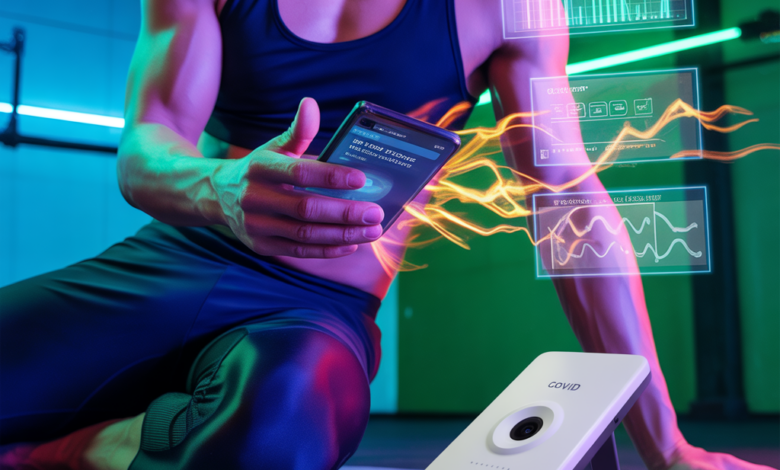
Ever stood in your living room, suitcase half-packed, and wondered if there was a quick, reliable way to check your COVID status before boarding a flight or hitting the gym? The rise of mobile diagnostics has brought smartphone-based testing into everyday conversation. In this smartphone covid test overview, we’ll walk through how phone-assisted COVID tests work, what to expect for accuracy, and how to stay fit and safe while waiting for results.
What is a smartphone-based COVID test?
Smartphone-assisted COVID tests combine at-home sample collection (usually a nasal swab or saliva) with a mobile app or the phone’s camera to read and interpret results. These systems are sometimes called phone-based coronavirus tests, mobile COVID test kits, or digital COVID screening tools. Some rely on scanning lateral flow (rapid antigen) test strips, while others use on-device algorithms to interpret color changes or band intensity. The end goal: faster, more accessible testing that plugs into your digital life.
How smartphone COVID tests work (step-by-step)
1. Sample collection
Most at-home kits include a swab or saliva collection device. You follow the kit instructions to collect the sample safely.
2. Applying the sample
The sample typically goes into a testing cassette or reagent tube that reacts with viral proteins (antigen) or genetic material (in some advanced home molecular tests).
3. Using your phone
Your smartphone becomes the reader. You may scan a test strip with the camera, photograph color changes, or sync with a dedicated app that interprets raw data and displays a result.
Pros and cons: Is a phone-based coronavirus test right for you?
- Pros: Convenience, rapid turnaround, digital record-keeping, easier to share results for travel or events.
- Cons: Varying accuracy depending on test type, user error in sample collection or image capture, and regulatory differences by region.
Accuracy, reliability, and what the research says
Not all smartphone COVID tests are created equal. Rapid antigen tests scanned by phones are generally reliable when viral load is high, but less sensitive than laboratory PCR tests. Advanced at-home molecular devices paired with phones can approach lab-level sensitivity but are more expensive. Always follow manufacturer instructions and consider confirmatory PCR testing if results conflict with symptoms or exposure history.
Practical tips for using phone-based COVID tests
- Read the instructions fully before you start; user error is the biggest cause of false results.
- Ensure good lighting and a steady hand when taking photos of test strips for app interpretation.
- Use a neutral background and the recommended distance between camera and test.
- Keep a record of test images or digital certificates for travel or workplace requirements.
Fitness & wellness: What to do while you wait for results
Waiting for a test result can feel stressful, but it’s also an opportunity to prioritize healthy habits that support immunity and recovery. Below are practical fitness tips and lifestyle suggestions to keep you active and resilient.
Light workouts to do at home
If you’re asymptomatic or just waiting for a result, consider gentle, immune-supporting movement:
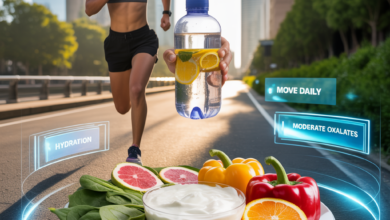
- 20–30 minute brisk walk or light jog to boost circulation.
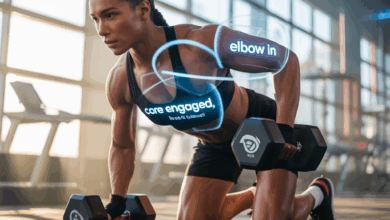
- Bodyweight circuit: 3 rounds of 10 squats, 10 push-ups (modify on knees), 20-second plank.
- Mobility flow: 10 minutes of lunges, hip openers, shoulder rolls, and cat-cow stretches to reduce tension.
Workout variations for different energy levels
- Low energy: restorative yoga, deep-breathing exercises, or a short walk.
- Moderate energy: HIIT-style intervals (15–20 minutes) if you feel well and symptom-free.
- High performance: maintain your usual routine only if you have no symptoms and recent negative tests; avoid intense sessions if exposure is likely.
Nutrition and lifestyle tips to support immune health
Nutritional support matters, especially around potential exposure. Follow these practical guidelines:
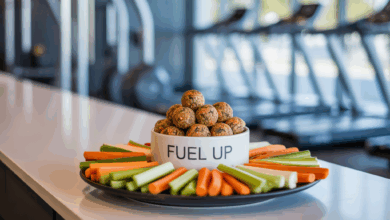
- Prioritize protein and colorful vegetables to provide vitamins and amino acids for recovery.
- Stay hydrated and limit alcohol during periods of testing and recovery.
- Consider vitamin D supplementation in consultation with your healthcare provider, especially in winter months.
- Sleep 7–9 hours nightly; sleep is a cornerstone of immune resilience.
Real-world examples: How people use smartphone COVID testing
Here are a few situations you might recognize:
- A gym-goer performs a quick phone-scanned antigen test before group classes to protect older members.
- An athlete uses a home molecular kit and smartphone app the morning of travel to ensure they can compete.
- A family screens before visiting a grandparent, photographing the test strip for a doctor’s telehealth consult.
smartphone covid test overview: legal, privacy, and regulatory notes
Before relying on any phone-linked diagnostic, verify local authorization and data privacy policies. Some apps store results locally, others sync with cloud services. If proof of testing is required for travel or work, ensure your chosen solution meets official acceptance criteria.
Frequently Asked Questions
1. Are smartphone-based COVID tests accurate?
Accuracy depends on the test type. Rapid antigen tests scanned by a phone are good at detecting high viral loads but can miss early or low-level infections. At-home molecular devices tend to be more sensitive. Always confirm with PCR if clinical suspicion is high.
2. Can I use a smartphone test for travel documentation?
Some digital tests provide verifiable digital certificates accepted by certain airlines or venues, but acceptance varies widely. Check the destination or event requirements and choose a test that meets those standards.
3. What should I do if I test positive on a phone-based test?
Isolate per local public health guidance, notify close contacts, and consult a healthcare provider. Consider a confirmatory PCR if required for official records. Focus on rest, hydration, and monitoring symptoms; seek urgent care if you experience severe signs such as difficulty breathing.
Conclusion — Take control with knowledge and healthy habits
This smartphone covid test overview shows that mobile diagnostics can be a convenient tool in your health toolkit, especially when paired with sensible fitness and wellness choices. Use reliable kits, follow instructions carefully, and support your immune system with targeted workouts, quality sleep, and balanced nutrition. Want practical plans to stay active and healthy while you test? Explore our workout routines, check our nutrition guides, or read our wellness tips for more ideas. If you found this helpful, try a simple home flow now — and consider signing up for updates so you’re prepared the next time you need a test.