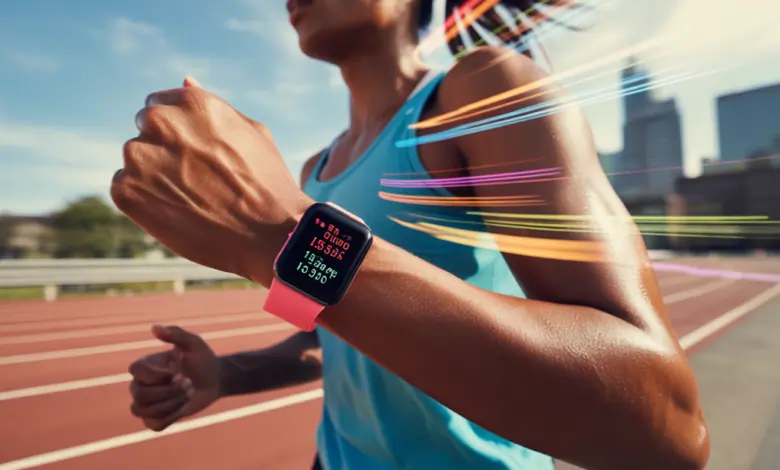
Ever glance at your Apple Watch mid-run and wonder if you’re using it to its full potential? Whether you’re chasing a new 5K PR or squeezing in a lunchtime jog, the right setup and strategy can turn that glowing screen into your best running coach. In this article you’ll find practical, real-world apple watch running workout tips to improve pacing, monitor recovery, and keep your workouts fresh and effective.
Why the Apple Watch is a Game-Changer for Runners
The Apple Watch combines GPS, heart rate monitoring, and smart coaching tools in a compact device you already want to wear. It helps with run tracking, interval training, and post-run recovery metrics — but only if you know how to configure it and interpret the data. Below are actionable ways to get more from every mile.
Pre-Run Setup: Small Tweaks, Big Gains
Check your watch settings
- Enable accurate GPS by starting the workout outside with a clear view of the sky.
- Turn on “Running Form” and “Stride Length” metrics if available in your watchOS version to capture cadence and ground contact insights.
- Set up Heart Rate Zones based on a recent threshold or lactate test, or use perceived effort to calibrate zones.
Customize your Running View
Customize the workout screen to show only what matters: pace, heart rate, distance, and cadence. Remove distractions like notification previews during a run so you stay focused on pace and breathing.
Core Apple Watch Running Workout Tips for Better Sessions
- Use the built-in intervals: Create interval workouts for tempo runs, fartleks, or hill repeats. The Apple Watch alerts you automatically so you can focus on effort not time.
- Monitor cadence: Aim for a cadence around 170–180 steps per minute for many runners, but use the Apple Watch’s real-time cadence to find your efficient stride.
- Race pacing: Use the pace alert feature to maintain consistent splits. Set target paces for 5K, 10K, or marathon training to avoid starting too fast.
- Listen to recovery data: After your run, review resting heart rate and heart rate variability trends to decide whether to rest or push the next day.
- Leverage the coach: Use guided workouts and third-party running apps paired with Apple Watch for interval variety and structured plans.
Workout Variations You Can Do with Your Apple Watch
Interval Training: Improve Speed and Efficiency
Set a 10–15 minute warm-up, then program intervals like 6 x 400m at 5K pace with 90 seconds rest. The Apple Watch alert tones and haptics make transitions seamless without checking your phone.
Tempo Runs: Build Sustained Effort
Run 20–40 minutes at a comfortably hard pace (half-marathon effort) and use heart rate zones to keep the effort steady. The watch helps you hold that pace by showing real-time heart rate and cadence.
Recovery Runs: Active Rest Done Right
Use heart rate zones to keep your recovery jog genuinely easy. Set gentle pace alerts so you don’t unconsciously creep up into moderate intensity.
Practical Real-World Examples
Example 1: Training for a 5K — Emily wants a PR. She programs 4 x 1 mile at 10K pace with 2-minute jog recoveries. Apple Watch vibrates at each interval change, giving her consistent splits and a clear post-run summary to adjust the next session.
Example 2: Busy parent fitting runs into a schedule — Marcus uses the Apple Watch’s short guided HIIT run option: 20 minutes total, including warm-up and cool-down. The watch handles timing so he can maximize time while staying safe in heart rate zones.
Integrating Apple Watch Metrics with Your Lifestyle
Nutrition and hydration tips
- For runs under 60 minutes, focus on pre-run carbs and hydration. The watch’s activity rings can remind you to refuel after long sessions.
- For longer runs, plan gel or electrolyte intake around distance alerts from the watch so you maintain energy and avoid bonking.
Sleep and recovery
Use sleep tracking and Daily Recovery trends to plan harder workouts. If your Apple Watch shows reduced HRV or elevated resting heart rate, opt for an easy run or cross-training day.
Advanced Tips: Get Technical Without Overcomplicating
- Calibrate regularly: Walk or run a measured route occasionally to ensure GPS and pace accuracy.
- Sync with other sensors: Pair a chest strap for more accurate heart rate during intense intervals, or connect Bluetooth headphones for audio prompts.
- Export and analyze: Export workouts to analyze splits, elevation, and cadence trends over weeks to adjust training load.
Frequently Asked Questions
1. How accurate is the Apple Watch for running?
The Apple Watch provides solid GPS and heart rate tracking for most runners, especially for steady-state and interval runs. Accuracy improves with calibration, a clear GPS signal, and using a chest strap for high-intensity sessions if you need lab-grade heart rate data.
2. Can I use my Apple Watch for marathon training?
Yes. Use long-run pacing, race pace alerts, and training plans available in running apps on the watch. Track cumulative weekly mileage and recovery metrics on the watch to avoid overtraining while building endurance.
3. Should I wear my Apple Watch on the left or right wrist for running?
Either wrist works — comfort and consistent placement matter more than left vs right. Make sure the watch fits snugly (not too tight) to improve heart rate readings, and keep the sensor area clean.
Conclusion: Run with Purpose — Use These Apple Watch Running Workout Tips
Whether you’re a beginner logging your first 5K or an experienced runner chasing a marathon goal, these apple watch running workout tips will help you train smarter. Tweak your settings, use interval tools, and pay attention to recovery and nutrition to translate data into performance. Ready to put these strategies into practice? Start by customizing your running view and planning one interval session this week — then compare the results.
Want more structured plans and nutrition advice? Check out our workout routines, explore fueling strategies in our nutrition guides, and balance training with self-care tips on our wellness tips page. Lace up, start your watch, and run smarter today.